
Reserve functional areas on the artwork using the actual structural drawing and converter-approved requirements. Seals, folds, opening features and coding areas cannot be treated as ordinary graphic space. There is no single margin that can be assumed suitable for every format and construction. Build an exclusion map before placing critical text, then ask the responsible technical and prepress teams to confirm the proposal.
Separate the different boundaries
A cut line, seal path, fold and content-safe area serve different purposes. Ask the converter to label them on the drawing and explain the relevant artwork restrictions. Do not use one coloured outline as a substitute for all boundaries. Mark any area where graphic coverage requires specific technical review. Keep the map understandable in both editable and preview files according to prepress requirements. A brand owner can decide which content is important, while the converter and technical owners define the functional constraints it must respect.
Place critical content after the map is agreed
Position product identity, important instructions and machine-readable symbols against the accepted safe layout. Review what happens when the pouch forms and fills, especially near gussets and closure areas. Do not move a barcode into a narrow functional strip merely because it fits in a digital view. Where a design needs graphics across a proposed seal area, ask for specific review rather than assuming that all printed coverage is either always acceptable or always prohibited. The actual construction and process determine the technical question.

Control changes that consume space
Adding a zipper, spout or opening feature can change the usable layout. So can a revised seal path or pouch size. Compare the new structural drawing with the previous exclusion map and return affected content to its owner. Keep the updated map linked to the artwork revision. A later production comment requesting a small movement should identify which boundary it resolves; otherwise the designer may fix one issue by creating another. Use a clean accepted file after the review, preserving the annotated discussion separately.
Use a functional-area exclusion map
The map supports design placement and prepress review. It should record the actual agreed boundaries and their sources, not publish arbitrary dimensions as universal packaging rules.
| Record | What to capture and how to use it |
|---|---|
| Boundary identity | Label cut, seal, fold and safe-content references separately on the drawing. Ask the converter to explain each convention so a designer does not treat a manufacturing boundary and a placement preference as the same instruction. |
| Required clearance | Record the applicable project requirement and technical owner for each functional area. Obtain the values from the responsible team, with their reference, instead of borrowing a generic distance from another format or supplier. |
| Critical content | Identify text, symbols and graphic elements requiring clear placement. Compare their locations with the accepted map and formed view, keeping responsibility for the actual content with its authorised owner. |
| Feature interactions | Show zipper, spout, hanging and opening features where proposed. Assess their effect on seals and available content space before final layout, and record the structural revision behind the placement decision. |
| Accepted layout | Link the clean artwork and exclusion-map revisions to the relevant approvals. Preserve outstanding questions and return affected content for review after changes, preventing an informal graphic movement from bypassing a functional requirement. |
Use the map in the first layout discussion. It is easier to build a clear hierarchy around known constraints than to compress essential content after the design team has filled every visible panel.
Illustrative zipper addition
A design reserves the full upper front for text. When the proposed zipper and final seal are added to the structural layout, the available content region is smaller than assumed. The team moves the text using the agreed map and reviews the opening route. It does not apply a generic margin or simply shrink all type. The example shows why feature planning and content placement need one shared structural reference before the file becomes a production baseline.
Esko outlines technical prepress checks. GS1 identifies symbol size, quiet zones and placement as quality factors.
Distinguish the seal path from the artwork clearance
The structural drawing identifies where the package is closed. The artwork map identifies where critical content and particular print features may be placed relative to that structure. These are related but different boundaries. Ask the converter to mark the actual seal path, relevant folds, cuts and features before the designer applies its clearances.
A clearance is not a decorative margin chosen to make the layout look balanced. It should reflect the actual route and agreed requirements. Obtain the current converter's guidance rather than borrowing a universal millimetre value. Where the requirement depends on material, ink or a feature, record that condition beside the boundary so the designer knows why it exists.
Classify the content affected by each boundary
Keep the clearance legend available to external designers. If they receive only a flattened image, ask whether they can identify each technical line accurately. Reissue a clear reference when necessary so a supplier annotation is not mistaken for a printable border or a suggested decorative element.
Identify wording, symbols, barcodes, instructions and graphic areas separately. Some content must remain fully readable; some background graphics may extend across a boundary under the printer's guidance. A single rule called “keep artwork away” can leave the designer unsure whether the whole background or only critical information must move.
Esko's prepress guide includes checks against structural boundaries and unsafe areas. It supports checking the relationship as part of file preparation. It does not supply a project-specific seal clearance or prove that a proposed printed region is functionally acceptable. The actual converter's drawing and technical guidance remain necessary.
Consider where several boundaries meet
Pay particular attention to a corner, fold, zipper end, spout area or hanging feature when it is part of the proposed design. Several constraints can overlap there. Show the combined usable region rather than reviewing each feature on separate drawings that appear individually acceptable. Ask the structural and artwork owners to resolve the resulting space together.
Use an enlarged view for a crowded area, but also review it at actual size. Enlargement helps identify geometry; it can conceal how little readable space remains. Keep a clear legend distinguishing seal area, cut line, fold and critical-content boundary. A coloured line without a meaning can become another source of ambiguity when the file reaches prepress.
Work through an instruction crossing a closure
Imagine an illustrative pouring instruction placed close to the final closing region. First identify the current line breaks and the exact structural reference. Then ask whether the instruction remains fully visible on the closed filled sample. If it is partly hidden, move or reorganise the content within the agreed usable area rather than assuming the physical closure will move to suit it.
If the proposed correction changes the seal path or feature location, return it to the relevant technical owner. That is a structural change with possible filling consequences. A designer should not shift a functional boundary merely to gain text space. Keep the accepted wording and accepted structure connected through the revised layout reference.
Retain the accepted exclusion map
Save the map as part of the artwork handover and link it to the drawing revision. The final proof should show enough reference information for reviewers to verify the relationship, while keeping non-printing technical lines clearly identified. Ask prepress to confirm how these lines will be handled in the production file under its actual procedure.
When a feature, seal or cut relationship changes, compare the affected area with the accepted map. Review the content and any relevant technical print requirements again. A material or route change may also require guidance to be reconfirmed. The finished record should explain where critical information can be placed and why, without inventing a universal clearance or allowing visual layout approval to replace the package's functional assessment.
Seal and zipper clearance: a practical specification example
A designer is preparing a pouch face before the final closure layout is fixed. Ask for a dimensioned dieline and distinguish the finished trim, sealed areas, folds and visible panel. Place essential information inside the usable artwork area. A flat-bottom pack also needs side and base-panel orientation to be reviewed; a good-looking front panel does not approve the complete artwork set.
For this decision, start with the zipper position and final top-seal band. The useful output is a marked exclusion area for text and critical graphics. Put that output beside the relevant quotation, drawing or sample rather than leaving it in a separate email. This is an illustrative decision exercise, not a report of a completed customer trial.
Product references to make the discussion concrete
The catalogue includes flat-bottom pouches and jar-shaped zipper pouches. These examples show different physical constructions; they are not interchangeable specifications. A box-style base gives the filled pack a distinct footprint, with separate front, back and side panels. Compare a plain top opening with a regular zipper, and use filled samples to decide the shelf depth and panel proportions.
| Format reference | Material or construction to clarify | Details to include in the brief |
|---|---|---|
| Flat-bottom pouches | Flexible laminate with paper-look or opaque outer options; the appearance alone does not identify the full layer structure. | Base width and full opened depth; net fill and product bulk. |
| Jar-shaped zipper pouches | Clear or frosted flexible pouch construction with a zipper; the jar shape is a profile, not a rigid container. | Usable cavity and narrowest opening; die-cut outline and corner radii. |
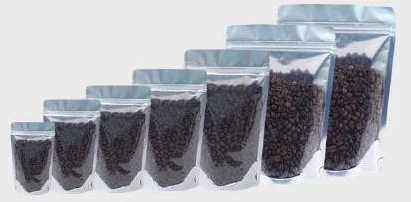
Use the reference pictures to identify the base, side panels, window or opening that you mean. A picture cannot supply the missing dimensions or material layers. If a photograph shows a finish or closure you do not want, state that difference explicitly; otherwise a visual reference can introduce an unintended requirement.
Complete the record before requesting the next sample
- Attach a marked exclusion area for text and critical graphics. Identify the product or SKU and the date of the observation.
- Record the zipper position and final top-seal band. Keep confirmed information separate from proposed values and questions for the supplier.
- Add the actual fill weight or volume, the dimension convention, material proposal and intended closure. Include the number of designs and quantity per design when requesting a quotation.
- State which question the next drawing, sample or quotation must resolve. A change of size, closure or material should remain visible alongside the earlier reference.
This record makes the next conversation specific. It lets the design, purchasing and packing teams work from the same proposed item and shows which decision still needs evidence. Review the related product pages for format details, or prepare a custom packaging brief with the unresolved requirements.

Approve the map with the file
Ask the converter and artwork owner to confirm the final functional-area layout. Reference it in the handover manifest and production-release index. Reassess affected areas after structural, feature or process changes. This gives every reviewer a concrete basis for comments and prevents a nominally print-ready file from hiding unresolved functional placement questions.
Send the completed functional-area exclusion map with your product and filling details to Navkar Poly Print for a project-specific discussion. Ask for the proposed specification, evidence required and open questions to be recorded before quotation approval.
Sources and scope.
These references support the technical discussion. Product photographs illustrate formats; the material, dimensions and suitability of the proposed pack are confirmed for each project.
- Esko packaging prepress process
Primary prepress-software supplier reference; buyer worksheets are original editorial tools.
- GS1 checks for barcode quality
Standards-owner guidance on symbol quality, size, quiet zones and placement.
Let’s discuss your product.
Share your contents, dimensions, filling method, quantity and delivery destination. We’ll work through the proposed packaging specification with you.
Create a packaging brief